
Blueprint for Outlook Professional2.6 - Download
You'll be able to download in few seconds.
Publisher Description
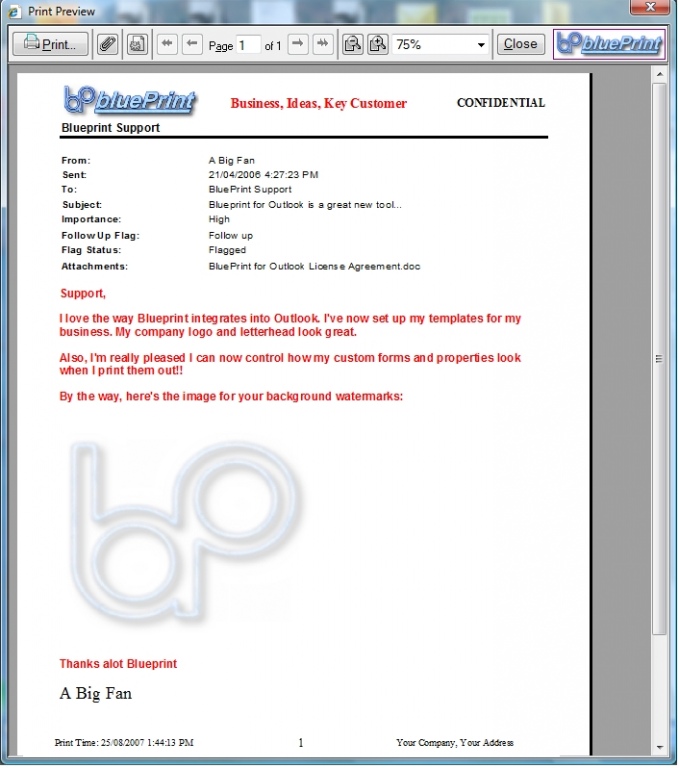
Blueprint for Outlook is an essential printing addin for Microsoft Outlook focused on reducing printing waste and improving email productivity. With Microsoft Outlook removing the ability to print a specific page of an email, businesses are discovering the cost to their organization. Blueprint restores greener practices by enabling you to print specific pages or selection of a message, and retain the header, saving you paper, ink and money!
Blueprint for Outlook enables you can control print layout, headers and footers, including email properties and your company logo. Include the contact picture when you print Contact information.
Blueprint for Outlook allows you to create customized Quick Buttons to perform repetitive or complex printing operations in a single click. Auto-select and print up to the latest three replies in a long email correspondence. Print specific attachment types.
About Blueprint for Outlook Professional
This Office Suites & Tools program is available in English. It was last updated on 02 November, 2026. Blueprint for Outlook Professional is compatible with the following operating systems: Windows.
The company that develops Blueprint for Outlook Professional is Savvisoft Ltd. The latest version released by its developer is 2.6.
The download we have available for Blueprint for Outlook Professional has a file size of 1.0 MB. Just click the green Download button above to start the downloading process. The program is listed on our website since 2008-09-20 and was downloaded 0 times. We have already checked if the download link is safe, however for your own protection we recommend that you scan the downloaded software with your antivirus. Your antivirus may detect the Blueprint for Outlook Professional as malware if the download link is broken.
How to install Blueprint for Outlook Professional on your Windows device:
- Click on the Download button on our website. This will start the download from the website of the developer.
- Once the Blueprint for Outlook Professional is downloaded click on it to start the setup process (assuming you are on a desktop computer).
- When the installation is finished you should be able to see and run the program.
Program Details
System requirements
Download information
Pricing
Version History
version 2.6
posted on 2008-09-20
Blueprint for Outlook is now supported on Windows Vista.
Disclaimer
External Download
We do not host Blueprint for Outlook Professional on our servers. We did not scan it for viruses, adware, spyware or other type of malware. This app is hosted by the software publisher and passed their terms and conditions to be listed there. We recommend caution when installing it.
The external download link for Blueprint for Outlook Professional is provided to you by apps112.com without any warranties, representations or guarantees of any kind, so access it at your own risk.
If you have questions regarding this particular app contact the publisher directly. For questions about the functionalities of apps112.com contact us.
